


Publishing a holiday let on Booking.com is straightforward.
In principle, you only need to:
- Create your property listing
- Set your prices
- And wait for the bookings to come in
But wait a moment, let us not get ahead of ourselves.
Getting your property onto Booking is not complicated, that much is true.
However, if you do not master the extranet calendar, the cancellation policies and the payment system, your profit margin will shrink and you will start to see more incidents and poor reviews…
And that path only leads to low occupancy for the property.
That is why, so you can use Booking like an expert, we have prepared this article explaining how Booking works for property owners in a way that is 100% practical, covering key questions such as:
- What you need to configure
- What you need to avoid
- And which methods to use to increase occupancy
Shall we start? Let’s go…
What Booking Is and How It Works
If you are wondering what Booking is and how it works, here is the short answer: Booking.com is an online travel agency (OTA) that shows your accommodation to millions of customers around the world so they can book it.
And, as we said at the start, the business model is simple:
The owner publishes the property listing and defines the prices and policies they want to apply, such as when a guest can cancel, the minimum stay, the house rules and so on.
The platform then shows this property to a large number of travellers and, if one of them books, charges you a commission.
So far, so clear.
Now, how do you start showing your property?
By registering your property on the platform, as we explain in the next section.
How to Register and Publish Your Accommodation
To register your property, you only need to follow these 3 steps:
Step 1.- Go to join.booking.com and fill in this information:
- Type of accommodation: flat, house, villa, etc.
- Address and contact details.
- Capacity, bed layout and floor area.
- Facilities and equipment: Wi-Fi, air conditioning, parking, cot, washing machine, hairdryer, etc.
Next, add real, bright photographs, prioritising rooms such as the living room, bedrooms, bathroom and, where relevant, the outside area too.
Finally, set your base rates, any supplements you want to include and, very importantly, your cancellation policies, which we will discuss in more detail a little later.
Step 2.- Write the listing, meaning a short text that explains to the guest what you offer and why they should choose you.
With Booking, we recommend keeping the text clear and direct because, unlike Airbnb, for example, where you have more room to expand, here the space is more limited and concision is rewarded.
So explain what really matters to the guest: parking, access, stairs, air conditioning, noise, nearby works, house rules… Because what we have seen over the years is that transparency reduces complaints and avoids negative reviews, which are what penalise you most.
Step 3.- Verify the property by requesting a postal letter with a code, in a similar way to Google Maps.
The letter can take a little while to arrive, but as soon as you receive the code you only need to enter it on the platform and that is it: your listing can be published and you can start selling.lendar and availability, change prices or update any other information you need.
Most owners who contact us do so because they have questions about how Booking reservations work.
So let us break it down as clearly as possible, because the platform’s own documentation can sometimes be a little confusing.
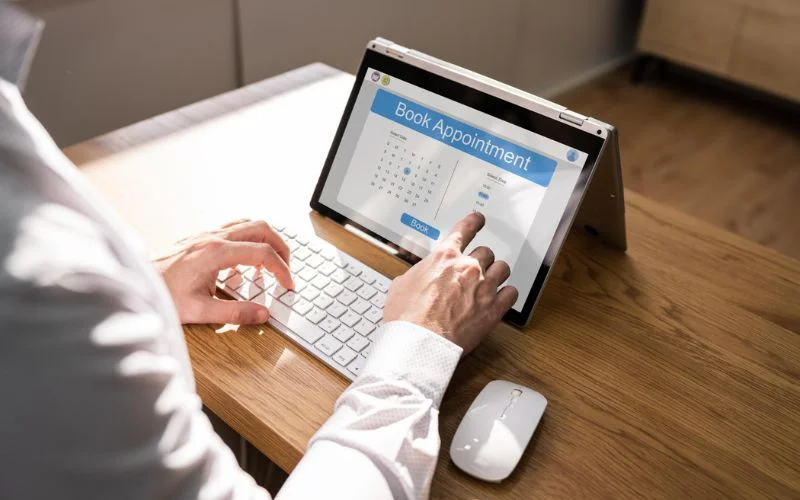
The first thing you need to know is that, once bookings start coming in, you must manage them from the extranet or, if you prefer and find it more convenient, from the Pulse app on your mobile.
From either of these places, you can review the calendar and availability, change prices or update any other information you need.
How to View the Calendar, Occupancy and Prices
Looking more closely, once you log in you will see that there are different views you can consult.
The first is the rates and availability view, and this is where you can open or close dates, adjust prices by day, week or season if you spot changes in demand.
You can also carry out the following actions:
- Add a minimum stay requirement if you would rather avoid too much turnover.
- Set an advance booking window.
- Or you can even block specific dates for yourself if you want to enjoy the property at certain times.
How to Change Policies and Cancellations
As we mentioned in the previous section, policies are essential because they are like the “laws” you set for entering your home.
And be very careful, because Booking will take them into account in the event of complaints.
What do we recommend you consider here?
This is the minimum you need to know:
- Combine non-refundable bookings, to secure some income, with semi-flexible options when you want to capture more demand during periods of low occupancy.
- Add a checklist with the house rules so there are no misunderstandings.
- And on free cancellation, it is always worth remembering this: if the guest cancels within the period you have defined, they will pay nothing and the date will automatically reopen; but if they cancel outside that period, you can apply a penalty.
As long as all this is clear and properly specified, you should not have problems.
How to Communicate with Guests
This is another central part of your day-to-day use of the extranet or app: communicating with your guests.
Here, the recommendation is to avoid having too many communication channels with guests and to centralise the conversation through Booking. This makes it easier to keep track and respond quickly.
We also recommend preparing a few templates to welcome guests, provide check-in instructions and send any reminders you consider necessary. Always use a friendly, direct tone so the information is easy to understand.
Finally, we also suggest giving them an emergency contact in case something becomes complicated and they need immediate help.
How to Avoid the Dreaded No-Shows and Modifications
Fortunately, it is not the norm, but if a guest does not turn up at your property on the agreed day and time, you need to act immediately to avoid problems: mark them as a no-show on the same day so a commission is not generated by mistake.
In fact, the ideal approach is to keep a routine of checking arrivals and departures every morning so you can report them and quickly reopen availability if there are cancellations.
How to Synchronise Your Calendar with Other Platforms
If you sell on several portals, such as Airbnb, Booking, Vrbo and others, you need to synchronise your calendars so the same dates cannot be booked twice. If you also have several properties, you need to be even more careful with this.
How can you synchronise it? We know owners who used tools such as iCal or Google Calendar, but the reality is that they did not work well and they ended up hiring a channel manager.
If you have not heard of it before, a channel manager is a type of software that lets you synchronise all the sales channels you use. There are many options on the market, but if you do not want the hassle, the ideal option is to delegate this work to avoid overbooking.
If it were easier, we would say so, but it is not. So if you need help, just contact us through this form and we will explain how to do it.

As you can imagine, the last thing an owner like you wants is last-minute surprises:
- Hidden commissions
- Conditions that are not properly reflected on the platform
- Payment times that drag on, etc.
So let us clarify how Booking works for hosts:
What Is Booking’s Standard Commission?
Booking works on a commission-per-booking basis, as we explained at the start.
For a holiday let, it is usually around 15%, with some variation depending on the country and the programmes that are active. Contrary to what some owners think, there is no fee to publish: you only pay when you sell.
What Are the Payment Methods?
You have two ways to do it:
- Manually: if you collect payment yourself, you can do it in cash, by card terminal or through a payment link. For non-refundable rates, it is worth pre-authorising or charging in advance to avoid unpleasant surprises.
- Automatically: if you prefer Booking to collect payment, the guest pays online and you receive a virtual card on the check-in day or a regular bank transfer. It is very convenient and reduces the risk of non-payment, although in some cases there is a small processing surcharge.
How Monthly Invoicing Works
At the beginning of the month, Booking issues the commission invoice for stays that checked out the previous month.
But bear these 3 cases in mind:
- If a booking was cancelled within the free cancellation period, there is no commission.
- If you applied a penalty and collected it, the commission is calculated on that amount.
- And if there was a no-show and you received no income, mark the booking to prevent it being invoiced to you.
Here is an example to make it easier to understand:
Imagine a 3-night booking at 120 euros per night, with a 40-euro cleaning fee. The total would be 400 euros.
Applying a 15% commission, you would need to deduct 60 euros.
If you also use online payments, with a 1.3% commission, you would deduct another 5.20 euros.
So your net income before tax would be around 334.80 euros.
Practical Tips to Promote Your Property and Give It Maximum Visibility
Being on Booking does not guarantee visibility. That much is obvious.
There are thousands of properties and hotels, so to stand out you need to become very good at creating listings and using all the tools and programmes the platform gives you, such as the ones we will look at now.
How the Genius Programme Works
If you are wondering how Booking Genius works, it is quite simple and is designed to build customer loyalty.
You can join from the extranet and, when you do, you offer a 10% discount to customers known as “Genius” in exchange for more visibility and a label that increases trust among potential guests.
You can also configure specific periods when the discount does not apply so you can make the most of demand peaks and activate it only when you need a little extra traction.
How the Preferred Programme Works
If your property’s performance is strong and you receive enough visits, Booking may invite you to join this programme.
If you receive this invitation, we recommend taking it into account because, although joining means a slightly higher commission, you also get much more visibility.
When does it make sense to join? When you already convert well but need your property to be seen more, because that way you do not have to compete on price.
How to Apply Promotions to Improve Results
In general, we do not recommend using promotions lightly, only at specific moments and in a smart way.
For example:
- A mobile rate works well if you want to capture more searches made through the app.
- Country rates are also useful for opening up specific markets.
- Early booking or last-minute offers are also useful if you need to fill gaps.
- And if you work with longer stays, you could also apply weekly or monthly discounts to stabilise occupancy.
In any case, you should always measure the results carefully so you can identify which promotions work well enough to keep and which ones should be discarded.
How the Affiliate Programme Works
How Booking affiliates work is not especially mysterious, and we could talk at length about the pros and cons, but the reality is that it does not directly affect your listing.
All you need to know is that it is a programme for third-party websites to recommend Booking and earn money for each referred booking.
Yes, you could contact specialist travel influencers to recommend you, but you would have to pay them and it would probably be unprofitable. You could also start a blog or a travel channel yourself on YouTube, Instagram or TikTok, but would the effort and work be worth it? Most likely not.
How to Manage Guest Ratings and Reviews
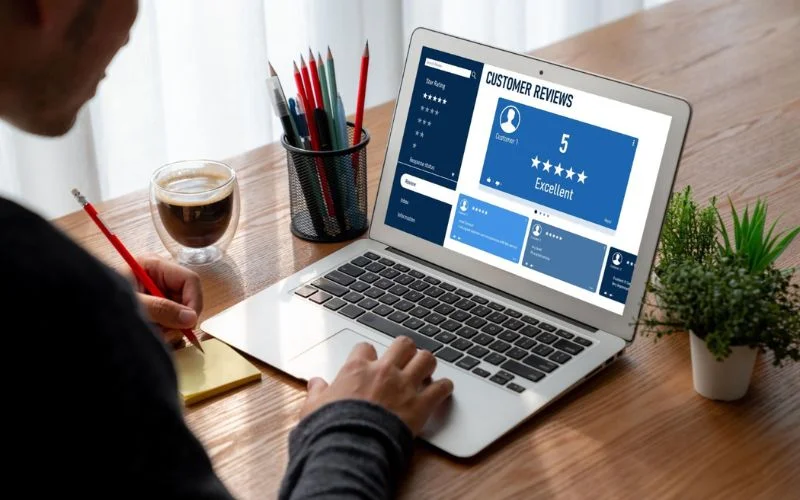
Reviews are a fundamental part of the Booking “game”, and you need to pay close attention to them so you can improve.
This is how they work: after check-out, Booking invites the guest to rate their stay and, importantly, only people who actually stayed can leave a review. It is not like Google Maps, for example, where anyone can leave a review. Here, everything is verified.
The important thing is that your average score affects your visibility and influences the purchase decision, so you should take care of this area by always responding in a professional and approachable tone.
Thank guests for positive comments and, if there is criticism, calmly explain what you have corrected or how you will resolve it for the next stay. Do it within 24 to 48 hours to show that you are a responsible owner.
In any case, if you spot an offensive comment or one unrelated to your accommodation, do not hesitate to request a review. Booking can remove it if it breaches the rules.
Finally, if an incident occurs, report it to support through the official channels so there is a record of it.
Benefits of Using Booking as a Property Owner
As a general rule, we could say that working with Booking when you have a holiday let is almost essential because it brings so many benefits:
- It gives you global reach
- It provides steady demand
- And it gives guests a lot of confidence when booking.
In addition, because of the way Booking works, you could say it is almost perfect:
- The extranet and app make daily management much easier
- Payments reach you monthly
- And support is available 24 hours a day.
We say almost perfect because, of course, it also has the disadvantages we will look at now…
Some Disadvantages for Owners and How to Mitigate Them
In reality, they are not disadvantages as such, but rather “circumstances” you need to understand so you are not caught off guard:
You May Have “Hidden” Commissions and a Lower Margin
To know exactly what you are going to earn, include the commission in your price structure and always calculate the net amount per night. If you do not reach your minimum profitability, simply correct it before publishing.
You Have Less Control Over Who Books
Unlike direct booking, when you use these general platforms you do not know who your guest is going to be.
That is why it is essential to:
- Set clear, easy-to-understand rules
- Always confirm the number of guests by message
- Ask the reason for the trip
- And confirm the arrival time so you know who will be in your property
And if you want more guarantees, ask for a deposit to protect yourself.
You May Have Overbooking or Calendar Clashes
We mentioned this a little earlier. Be very careful with overbooking and synchronise calendars as a general rule if you work with several channels. And if you want to avoid problems, use a channel manager or at least set an internal procedure to block dates quickly when a direct booking comes in.
There Are Risks Around Doubtful Payments and Invalid Cards
How do we solve this in these cases? By applying logic: if the amount is relatively high, do not overthink it, activate Booking online payments for sensitive rates. It is undoubtedly worth paying the small commission, and you will also reduce incidents and save time.
You May Receive Negative Reviews
It is almost impossible not to receive negative reviews because the experience is always subjective. However, your best defence is a solid service:
- Impeccable cleaning
- Clear instructions
- Fast responses.
And if you still receive a negative review, always reply politely and offer a specific solution.
There are no more secrets.
Are You Ready to Publish Your Property on Booking?
As you can see, Booking can work very well as a guest acquisition channel when you understand its rules.
Because information is power, and if you use its tools well and take care of your guests, you can create a first-class virtuous circle:
- You turn visits to the Booking website into stays at your property
- You get good reviews and improve your score
- Those reviews then bring you new bookings, and the cycle starts again…
That said, all of this involves quite a lot of work and effort. You cannot sit back and wait for visits to arrive magically, ignore guests’ questions or handover logistics, and you also need a solid pricing strategy so the property is let for most of the year.
So the question now is:
Would you like to delegate the management of your property to expert hands so you do not have to worry about anything?
At Home2Book, we specialise in holiday let management, currently managing more than 600 properties under this model, and we are used to optimising prices and giving your property maximum visibility so you can get the most out of Booking.
All you need to do is contact us through this form and we will be happy to help.